glade-mcp connects AI coding assistants directly to game editors
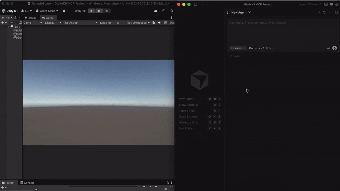
glade-mcp, by Glade Tool, connects AI coding assistants to game editors for editor-aware code generation and debugging. The server gives models real-time visibility into project structure and engine APIs, letting them act on in-editor artifacts rather than external snapshots. It supplies editor-aware prompts, script search, and skill calibration to tune assistant behavior. The target user is game developers using Unity or Godot who want tighter AI integration inside their development workflow.
What tasks can you actually use it for?
The server acts as a bridge between an assistant and an editor, exposing editor state so agents can inspect scripts, scene structure, and engine-specific APIs. It presents those internal artifacts as callable tools to the model, which the developer designed to support automated debugging, context-aware code generation, and project-management actions inside the editor. Practical outcomes include AI-driven navigation of a codebase and editor-invoked script edits initiated from the assistant.
How accurate are the outputs compared to doing it manually?
Glade Tool built mechanisms to reduce off-target responses by giving the assistant engine-specific context and a semantic script search, which the developer notes reduces hallucinations. The server also offers skill calibration to adjust the assistant for development tasks. These controls aim to make generated edits and suggestions more grounded in the open project, but results depend on the assistant used and the thoroughness of the calibration data provided.
What runtime inputs and environment does it require?
The server requires an MCP-compliant host environment and a Node.js runtime to execute in a terminal, and it typically runs via tools such as uvx or npx. Integration with Unity and Godot uses specific local ports (Unity on 8765, Godot on 8766), and the server can auto-detect which editor is running. These requirements place the server on the developer's machine or build host rather than inside a closed cloud-only interface.
Is it straightforward to fit into an existing workflow?
The server connects with any client that supports the Model Context Protocol, including code-focused assistants and Unity’s built-in assistant, which removes the need for separate external AI clients in some setups. For teams using MCP-capable tools, that design lets the assistant operate inside the editor; for teams without an MCP client, adopting the server requires adding that compatibility layer and a terminal-based runtime.
Who should adopt this server and where it falls short
For game developers comfortable managing a local Node.js service and using MCP-capable assistants, the server is a practical choice to bring AI work into the editor. Teams without MCP clients or those seeking a plug-and-play GUI will find the setup overhead limiting. The server favors development groups that accept a developer-focused, server-side integration rather than an end-user installer.